Poly Rove (B4 Base + Handsets) — Microsoft Teams SIP Gateway Setup
Purpose
Configure a Poly Rove DECT base station to register directly to Microsoft Teams using the Microsoft SIP Gateway (no SBC required).
This procedure converts the device from generic SIP firmware behavior into Microsoft Teams native login mode.
Prerequisites
Microsoft 365
- User has Microsoft Teams license
- User has Teams Phone license
- SIP Gateway enabled via PowerShell
Network Requirements
Allow outbound HTTPS (TCP 443) to Microsoft Teams and Skype service endpoints.
Step 1 — Access the Base Station
Browse to http://<BaseIP>
Default login: admin / admin
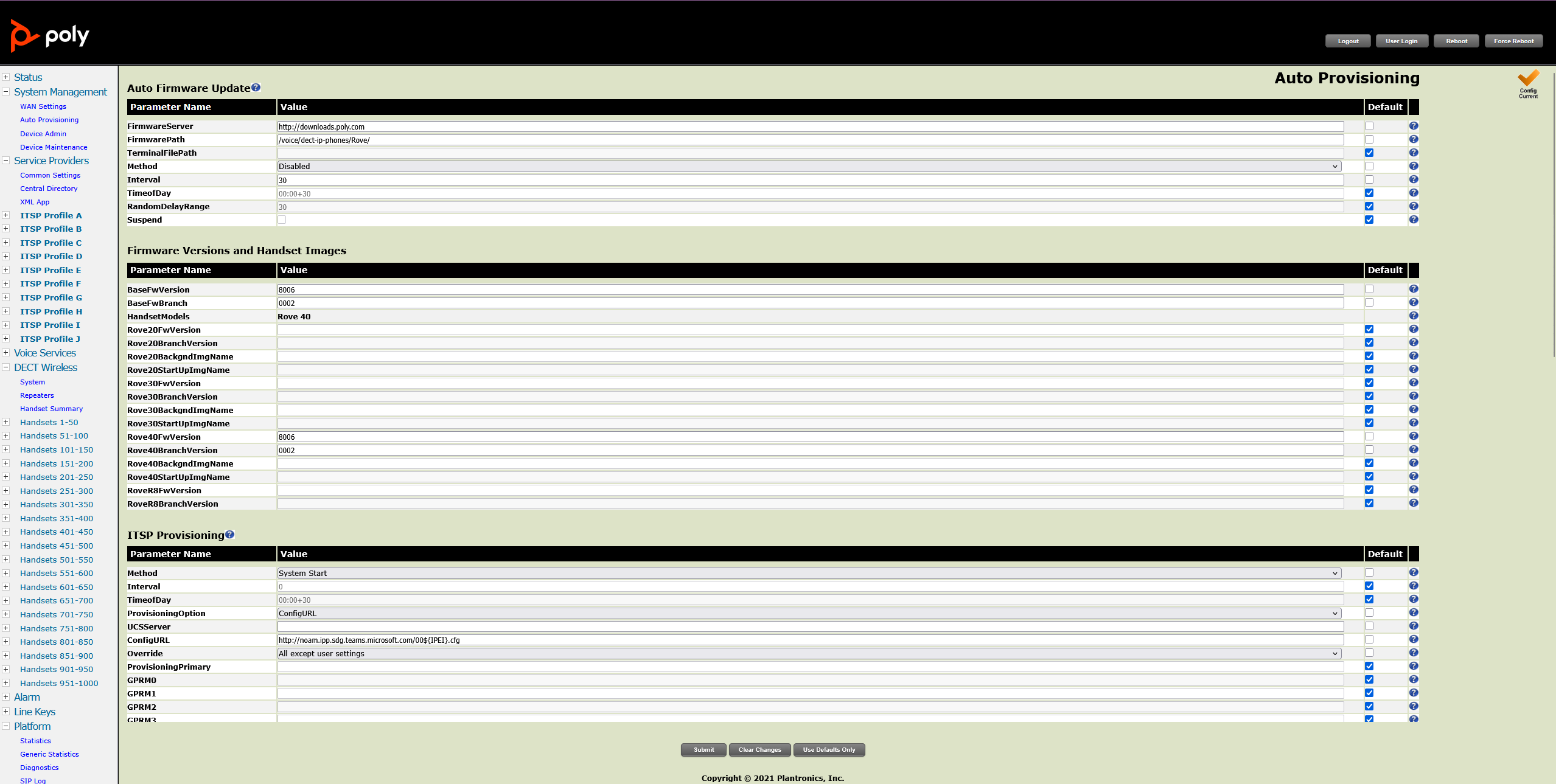
Step 2 — Firmware Page (Auto Provisioning)
Navigate: System Management → Auto Provisioning
FirmwareServer: http://downloads.poly.com
FirmwarePath: voice/dect-ip-phones/rove/
Method: Disabled
Step 3 — Microsoft Teams Provisioning
Navigate: ITSP Provisioning
Method: System Start
ProvisioningOption: ConfigURL
ConfigURL: http://noam.ipp.sdg.teams.microsoft.com/00$[IPEI].cfg
Override: All except user settings
ProvisioningPrimary: Enabled
Step 4 — Expected Behavior After Reboot
Base downloads Microsoft configuration and handset displays device login code for Microsoft Teams.
Step 5 — User Sign-In
User browses to https://microsoft.com/devicelogin and enters the code shown on handset.